
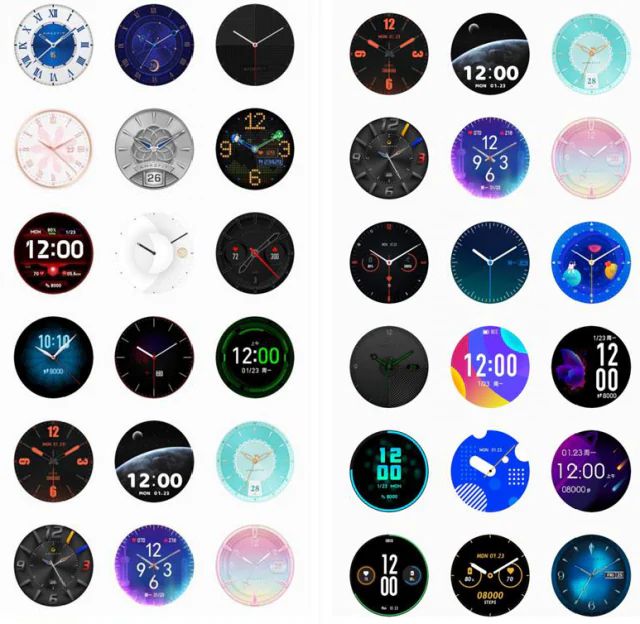
How can I change my Amazfit GTR watchface? I know you have been really worried by this. This will serve as a quick guide.
The XIaomi Amazfit GTR smartwatch came along with over 100 different watchfaces. Therefore, the watchface can easily be changed to any face of your choice at any point in time. Expectedly, most persons are confused on how to do this thus limiting their opportunity of enjoying this wonderful feature. its not a hard deal. Check below.
The Amazfit GTR watchfaces can be changed in two ways. it can be done through the watch itself or through the smartwatch app.
CHANGING THE WATCH FACE THROUGH THE WATCH ITSELF
This is very easy as it can be done through the smartwatch directly. Here are the steps
- Long press the watchface for like 3s
- Go to settings page, tap watch face settings
- Slide left and right to scan the various watch faces
- Choose the one u like and tap it to complete the replacement. Isnt that easy?
CHANGING THE AMAZFIT GTR WATCHFACE THROUGH THE APP
The amazfit GTR smartwatch can also be changed through the app. Here are the steps
- Download the Amazfit GTR watchface app. This can be downloaded here or through Play store.
- After you’ve downloaded the App, you open the Amazfit APP. As you are doing that, ensure that the bracelet and watch are properly connected.
- Tap “Profile—Amazfit GTR—Watch face settings” to download more watch faces on the Watch Face Store.
- After download, you can choose sync now or download more, then, change the watch face on the watch.
With these I feel you should be able to enjoy the over 100 different watches available for this smartwatch. Hope you were helped by this? You can also check our review of Amazfit GTR Smartwatch here.